Month: April 2010

  • use and abuse of elevation contours

    I’d never really looked at elevation in GIS data before, mainly because the data sets are big and I didn’t understand the format. I believe that in GeoGratis, NTDB and its successor CanVec provide elevation data, but those are vector formats. Most terrain data is delivered in DEM rasters, and in Canada you can get them from GeoBase.

    GeoBase DEM files come in archives containing two tiles, the east and the west. I’m not quite sure why they do this. Unless you live in an area of spectacularly interesting terrain, loading them straight into your mapping package will likely result in a large splodge of flat greyness. Because they are 2D arrays of spot heights, there’s not much variation between neighbouring points, unless you’re at a cliff.

    Another issue you need to address in reading DEM files is the handling of unknown values. gdalinfo will show you the value in a line like

    NoData Value=-32767

    Unless you filter that value out, your DEM file will appear to have holes approximately 4x the height of Everest. This causes problems if you try to make a colour map.

    Here’s the DEM for my neighbourhood, translated and cropped using gdalwarp, and false-coloured in QGIS:

    Not surprisingly, Taylor Creek runs through the lowest ground (funny how water does that …). I could have picked off spot heights with QGIS’s ‘Identify Features’ tool, but contours are neater:
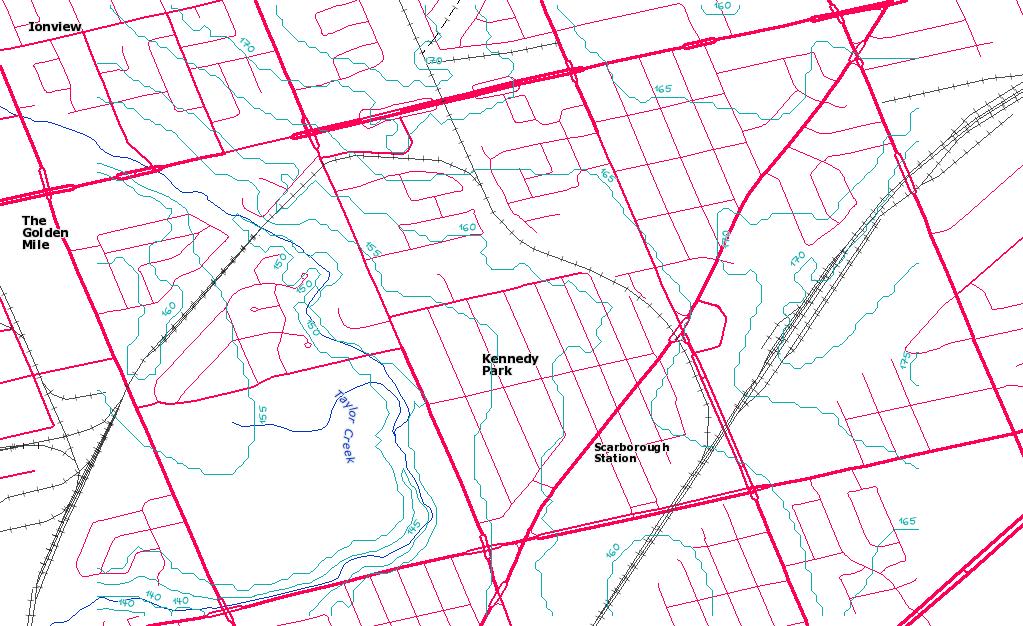
    I made the 5m contours with gdal_contour, using the following command (on the terrain data which I’d converted to GeoTIFF):

    gdal_contour -a elev -3d kennedy_park.tif kennedy_park-contours.shp -i 5.0 -snodata -32767

    Looking at that map, and despite the somewhat wibbly nature of raster-vector converted contours, the elevation of my house is about 167m. My GPS – a Garmin GPSMAP 60CSx – contains a barometric pressure sensor, and on a day I’d remembered to calibrate it by the lake, it said I was at 166.9m above sea level. Neato!

    Update: just to show that Canada has some wiggly bits, here are some contours for Grotto Mountain, not far from Canmore, AB:
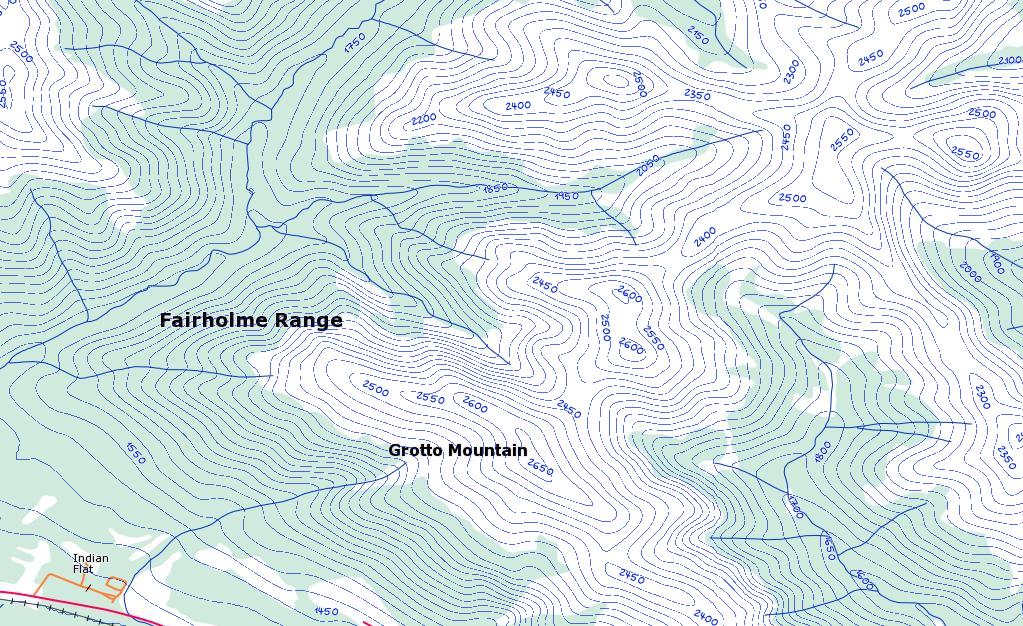
    These are 50m contours, though – 5m would just be a blur.

  • Taking geotagged pictures with your Blackberry

    Note: I’ve had reports that some carriers seem to disable GPS service within their service area. I’ve certainly seen slight differences as to how this works on different carriers.

    Most recent camera-equipped Blackberrys have a GPS built in. One of the most handy things I’ve found for fieldwork is the ability to take pictures tagged with your location and be able to send them to contacts.

    Setting this up is a little involved. First, go into the camera, and selection ‘Camera Options’. You want to enable Geotagging:

    (oh, and I took the screen capture with CaptureIt). Save options, then exit back to the home screen.
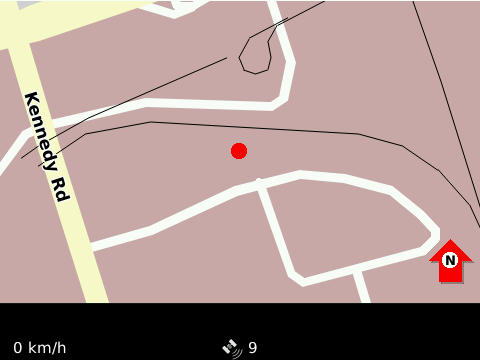
    I find the most reliable way of starting the GPS is to go into Blackberry Maps, and ‘Start GPS Navigation’ from the menu. Once you’ve got a reliable satellite fix (which on my old Curve, used to work fine indoors; on my Tour, not so well) you should be able see the map update with your current location, and a satellite count (9 here) on the bottom of the screen:

    Exit maps, and start your camera. You’ll know if you have a location for tagging if there’s an icon that looks a bit like  in the bottom right corner of the screen. With no fix, it’s a red crossed-through icon. Now take your picture!
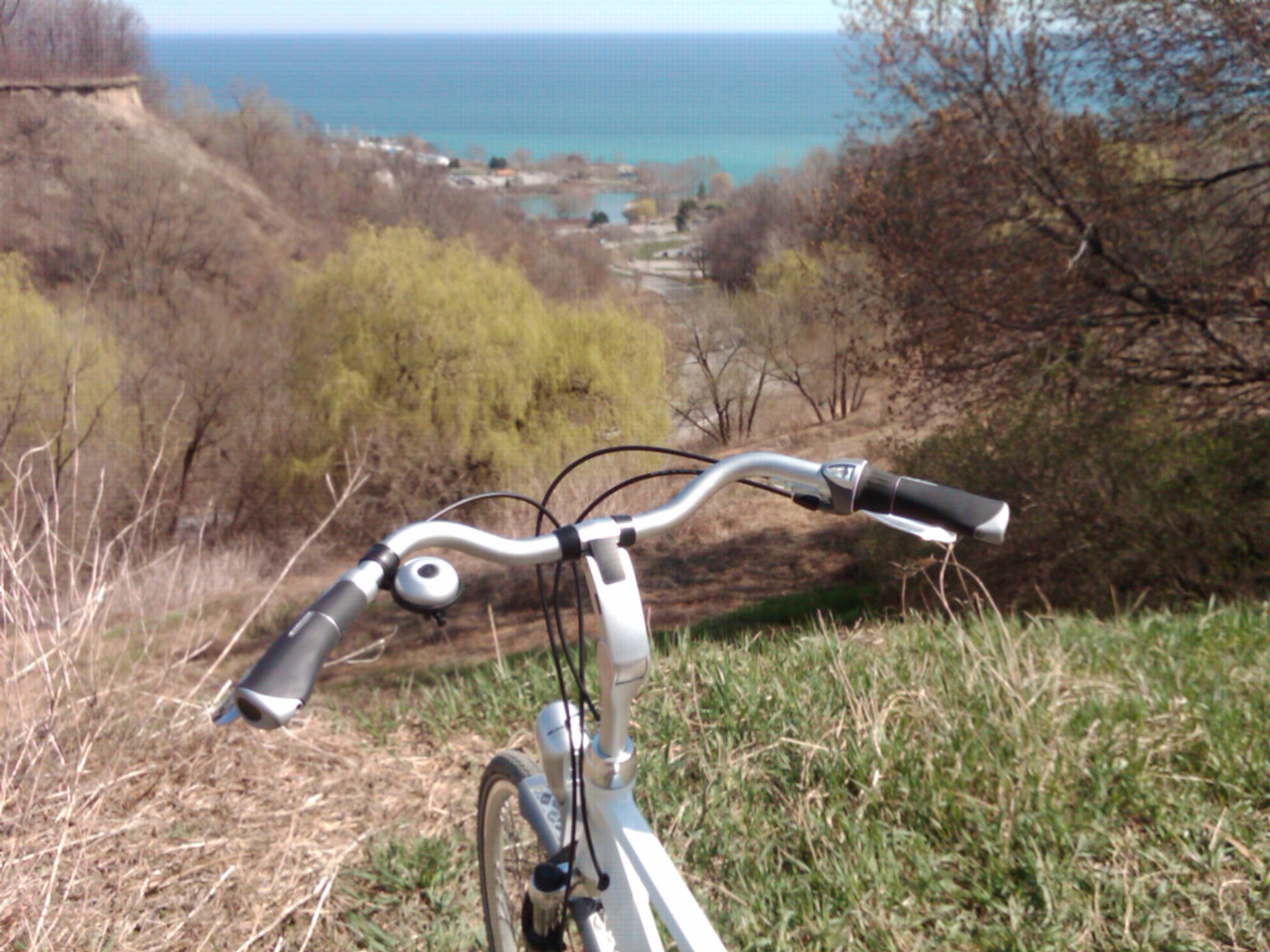
    (yeah, my Blackberry takes slightly fuzzy pictures. Dunno why.)

    Metadata’s only useful if you can read it, and on anything with a command line, ExifTool works really well:

    $ exiftool IMG00144-20100411-1516.jpg
     ...
    GPS Position                    : 43.709983 N, 79.239817 W
    

    (one should note that without a barometric pressure sensor, GPS altitude readings are not to be trusted. This picture claimed to be taken at 120 m Below Sea Level …)

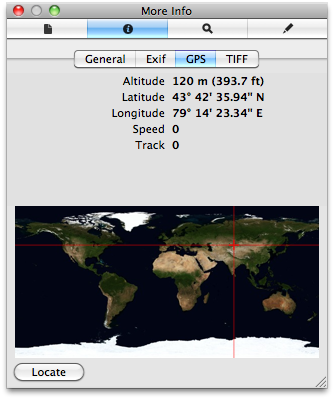
    Curiously, OS X’s Preview gets GPS position completely wrong:

    According to Preview, I and my bike (and my Blackberry) were close to Charyn in Kazakhstan. I’m quick on my pedals, but not good enough to get far east in an afternoon.
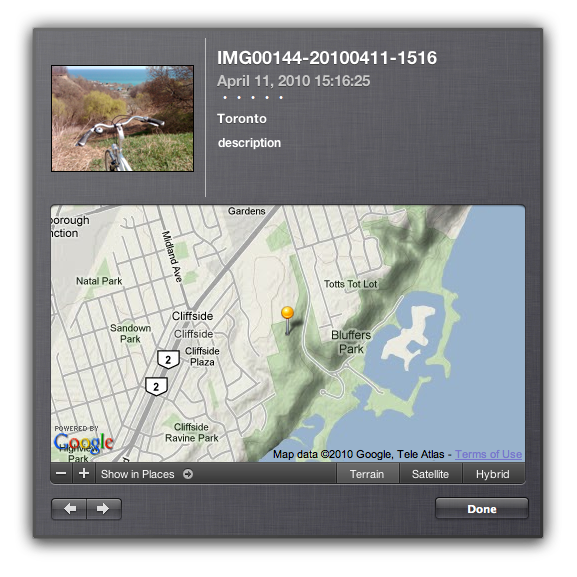
    iPhoto gets it right, though:

    Curiously, I couldn’t find anything built into Windows (okay, XP) that would read the tag location. I guess Microsoft just don’t want you to know where you are now, merely where do you want to go today.

  • three norths to choose from

    North is a slippery thing, a trickster. There are at least three norths to choose from:

    • Magnetic north – where the compass needle points. Currently way in the northwest of Canada, it’s scooting rapidly towards Siberia. Come baaack, magnetic north! Was it something we said?
    • True north – straight up and down on the axis of this planet.
    • Grid north – the vertical lines on your map. Due to the earth’s curvature, there’s only one line on a grid that exactly coincides with true north. Away from that line, there’s a correction that you need to apply.

    That grid to true correction is what I’m looking at today. In my work, I need to work out where shadows of wind turbines fall. I work in grid coordinates, so I need to correct for true north sun angles. Here’s a shell script that uses familiar programs invproj and geod to work out the local true north correction:

    #!/bin/sh
    # gridnorth.sh - show the grid shift angle at a certain point
    # created by scruss on Sun 4 Apr 2010 18:19:29 EDT
    # $Id: gridnorth.sh,v 1.2 2010/04/05 12:23:57 scruss Exp $
    
    # you might want to change this
    srid=2958
    
    # two arguments mandatory, third optional
    if
     [ $# -lt 2 ]
    then
     echo Usage: $0 x y [srid]
    fi
    
    # truncate arguments to integers so the shell maths will work
    x=`echo $1 | sed 's/\.[0-9]*//;'`
    y=`echo $2 | sed 's/\.[0-9]*//;'`
    # calculate points 1000 units (grid) south and north of the chosen point
    lowy=$((y-1000))
    highy=$((y+1000))
    
    if
     [ $# -eq 3 ]
    then
     srid=$3
    fi
    
    min=`echo $lowy  $x foo | invproj -r -f "%.6f" +init=EPSG:$srid`
    max=`echo $highy $x foo | invproj -r -f "%.6f" +init=EPSG:$srid`
    minlon=`echo $min | awk '{print $1;}'`
    minlat=`echo $min | awk '{print $2;}'`
    maxlon=`echo $max | awk '{print $1;}'`
    maxlat=`echo $max | awk '{print $2;}'`
    echo $minlat $minlon $maxlat $maxlon |\
     geod +ellps=WGS84 -f "%.3f" -p -I +units=m |\
     awk '{print $1;}'
    

    The script is called with two arguments (the easting and the northing) and an optional third argument, the SRID for the current projection:

    $ ./gridnorth.sh 639491 4843599 26717
    1.198

    The value returned is the angle (clockwise) that grid north differs from true north. Unless you’re using the same SRID that I’ve put in the script as default, you probably want to specify (or change) it.

    So how do I know if this is even remotely correct? If you look at any CanMatrix scanned topographic map (either Print Ready or Georeferenced). there’s a declination indicator shown:

    That’s the map eastern Toronto is in; its sheet reference is 030M11. We’ll ignore the magnetic declination for now, as 1984 is way out of date, and there is much to be said on geomagnetism that I don’t understand.  The map says its centre is 1° 12′ clockwise of true north. The centre of the map is approximately 641500E, 4831000N (UTM Zone 17N NAD27; EPSG 26717; or in real terms, in the lake, a few klicks SE of Ashbridges Bay) so:

    $ ./gridnorth.sh 641500 4831000 26717
    1.209

    1° 12′ is 1.2, so I think I’m officially pretty durn close.

    To show that grid skew changes across the map, the upper right hand corner of the map is 660000E, 4845000N, which is off by 1.375°.